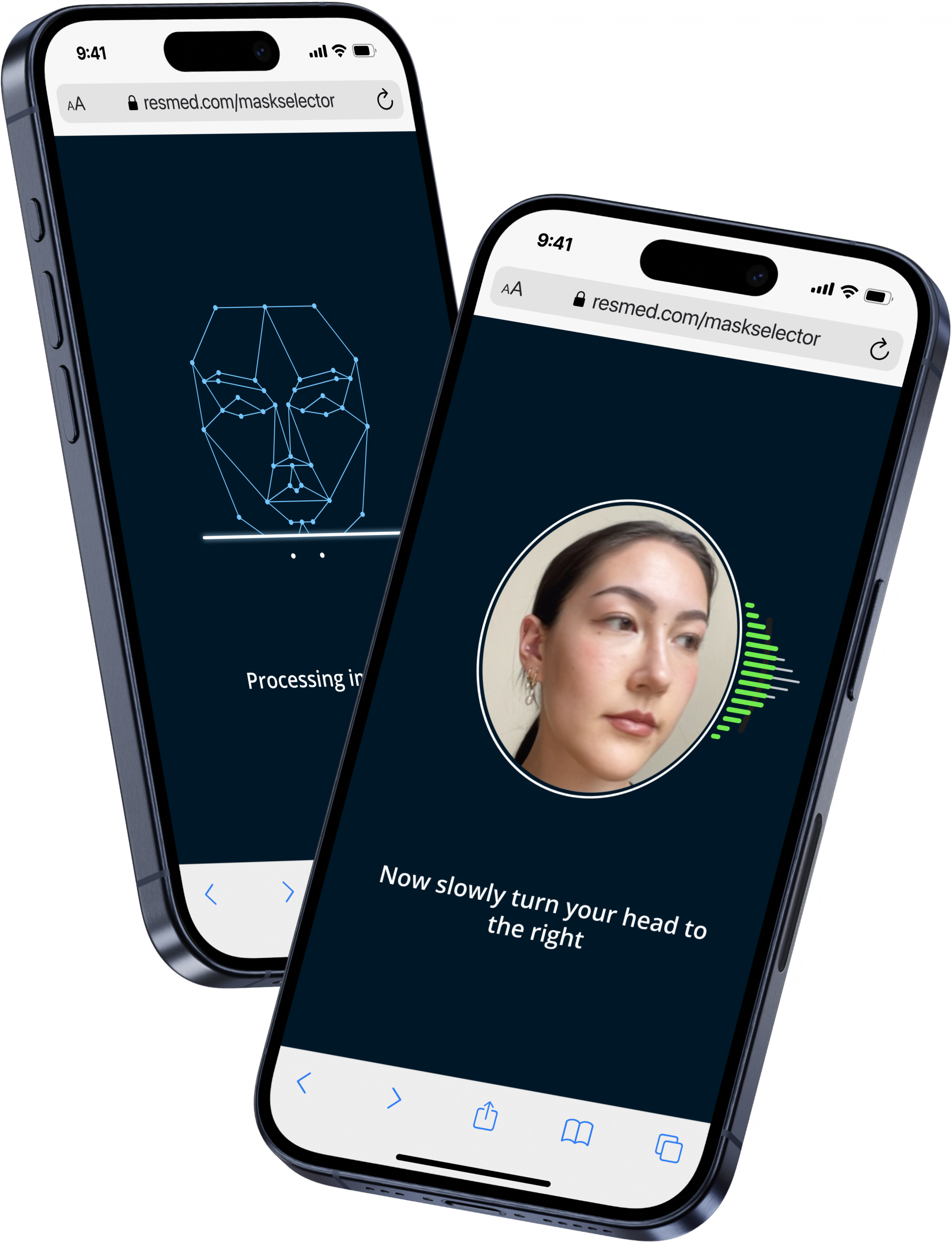
Therapy equipment care made effortless
I drove this project from concept to full launch — delivering sustained habit formation, a 16% reorder lift, and a projected +$30M annual revenue.
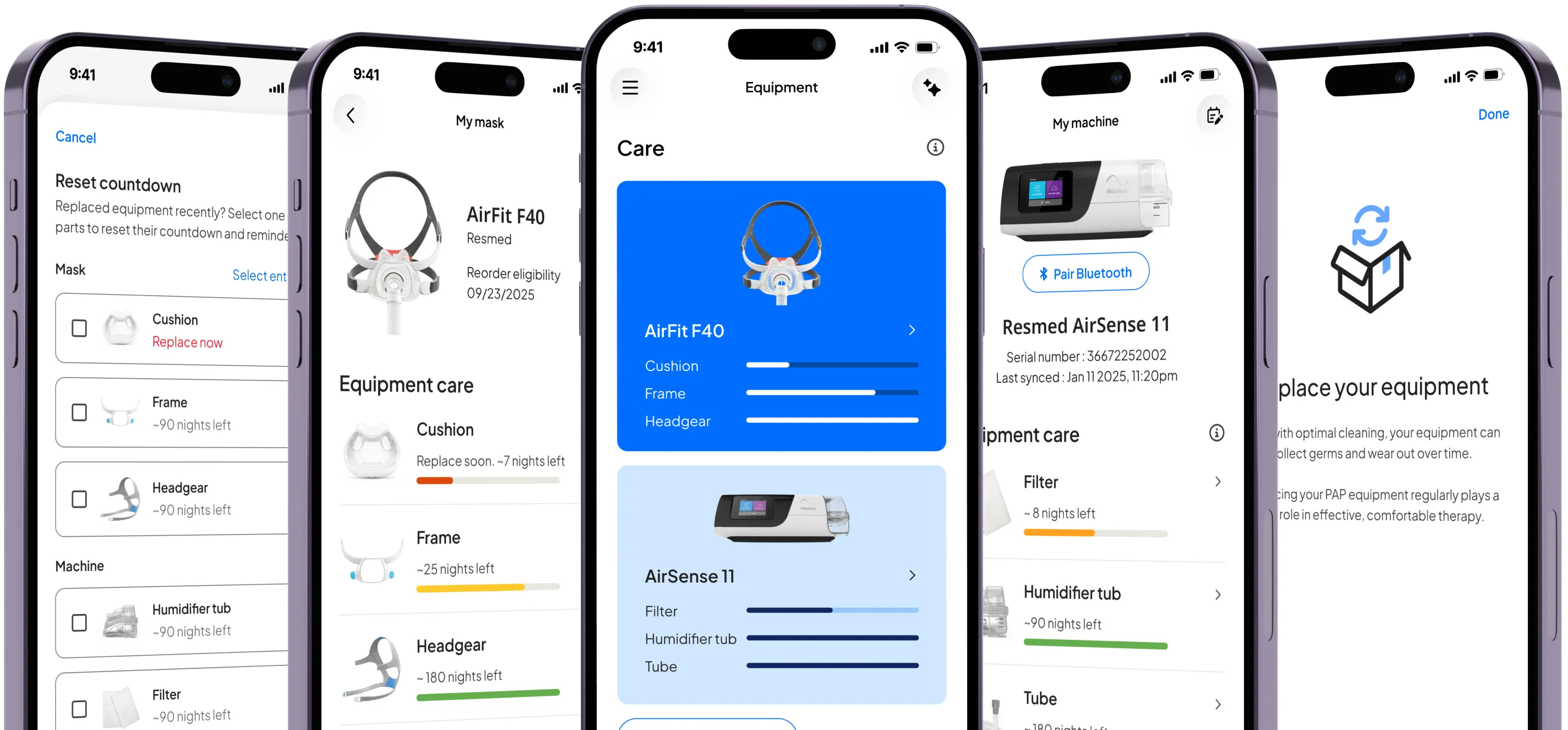
Background: 75% of CPAP patients are using equipment they should have replaced years ago
CPAP therapy only works when the equipment works. Masks, cushions, tubing, and filters all degrade over time, accumulating wear, bacteria, and reduced effectiveness. Each component follows a different replacement schedule, making it incredibly difficult for patients to keep track. The consequences are significant:
75%
of patients don't replace components on time
40%
haven't replaced anything in 2+ years
Despite having over 1 million active users, myAir (ResMed's patient app) had no reminders or guidance to help patients manage this. The burden fell entirely on the patient, and most were falling short without even knowing it.
My role
As UX Lead, I owned the 0→1 creation of Equipment Care, from running the initial vision workshop through to delivery of a shipped A/B experiment. I collaborated closely with a Researcher, Content Designer, PM, marketing, and engineering team. Together we took the feature from a blank canvas to a shipped A/B experiment serving tens of thousands of myAir users across the United States in under a year.
Opportunity: A behavior change problem with an untapped revenue opportunity hiding inside
Poor equipment hygiene degrades therapy quality, contributing to mask leaks, discomfort, and ultimately abandonment — yet myAir had no in-app solution to help patients stay on top of cleaning and replacements. A well-designed reminder system had the potential to significantly change these habits and improve long-term therapy outcomes.
Equipment replacement is also directly tied to ARPU. Patients need to reorder equipment to have new components on hand, and those who replace consistently represent higher long-term revenue. The business goals were clear: increase resupply events per active user and increase the lifetime value of myAir.
❊
Defining the Vision: Storyboarding an ideal equipment experience
To kick off the project, I led a vision workshop across 4 sessions and 2 timezones with 20+ cross-functional partners, to align the team around the broader equipment care problem space. The session generated ideas across multiple opportunity areas, which I synthesized into an ideal end-to-end user workflow — mapping how the experience would differ across markets depending on how equipment ordering and insurance worked in each region.
From there, I translated the workflow into a storyboard illustrating the ideal patient journey — a north star artifact that anchored prioritization conversations and helped brainstorm experiments to run. The first experiment was clear: design a system that made equipment replacement effortless enough to become habit.
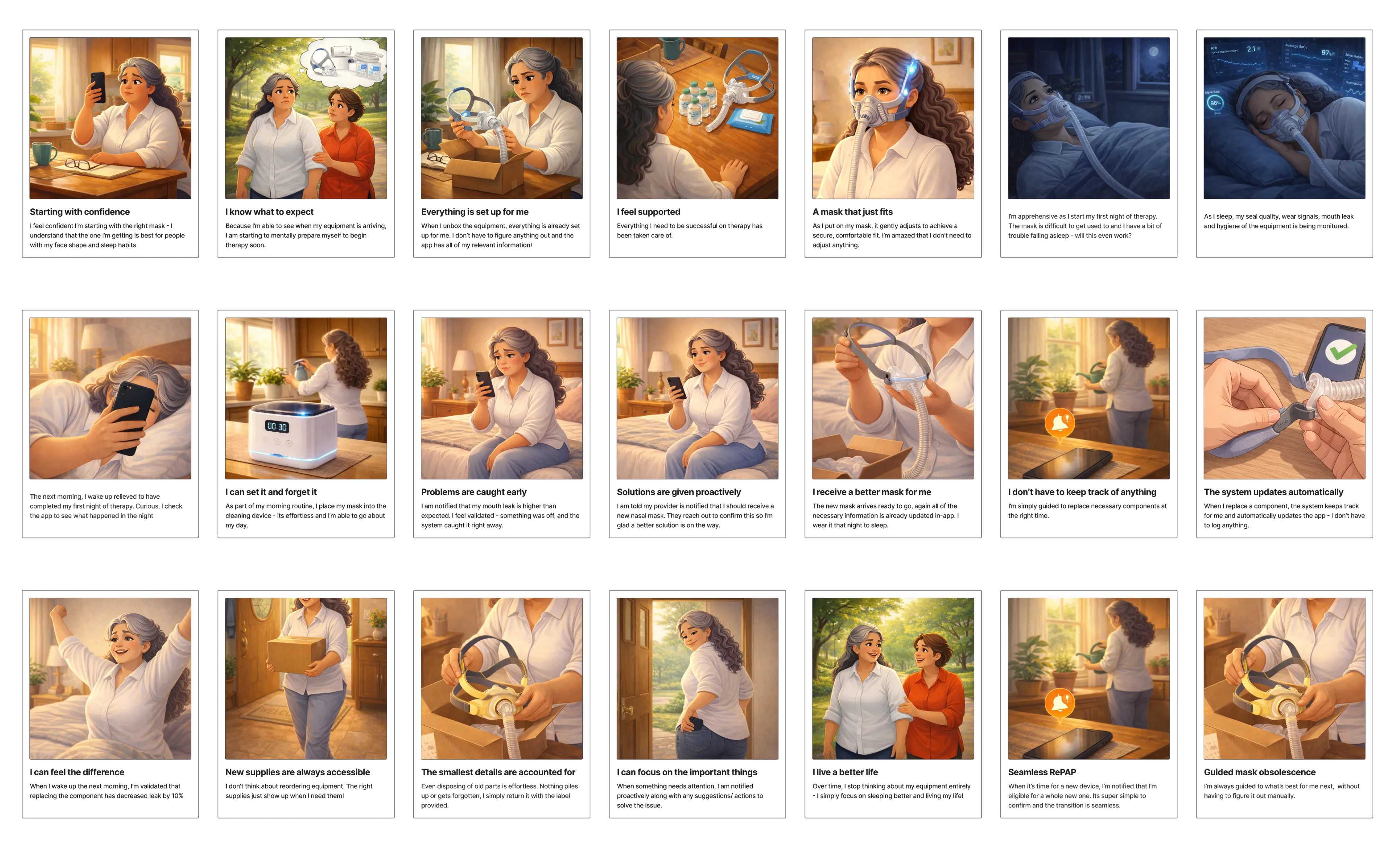
Equipment vision storyboard
Feature Design: Building trust before asking patients to spend more
The central design challenge was building trust with patients. Nudging them to replace equipment more frequently risked feeling commercially motivated, so every communication was framed around therapy value. For example: "It's time to change your cushion to help maintain cleanliness and your therapy experience." Establishing that relationship between cleaning, replacing, and reordering was essential before we could ask patients to act.
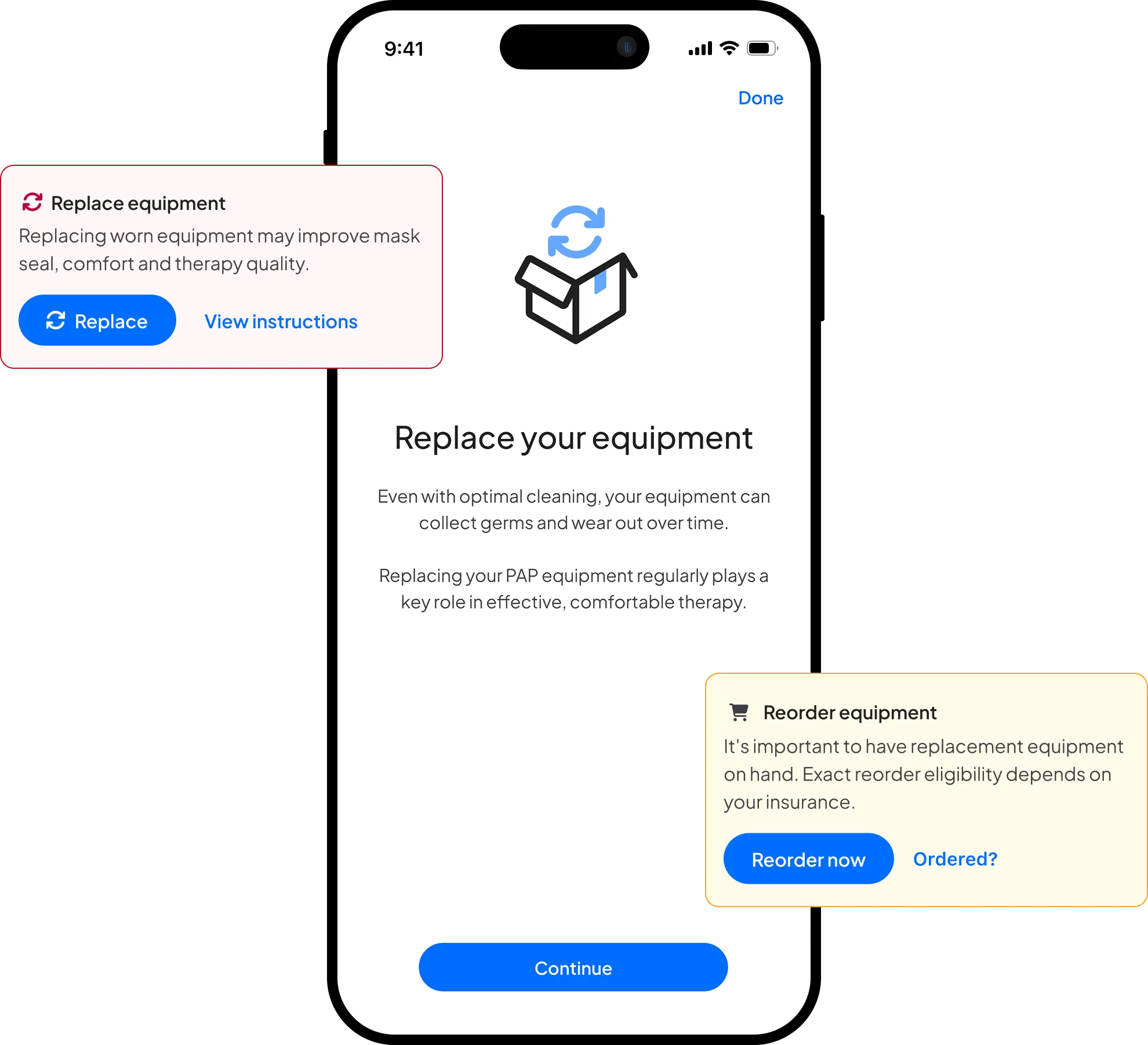
I explored several concepts before testing with our researcher across four key tasks: checking equipment status, finding cleaning information, updating a component after replacement, and configuring a reminder.
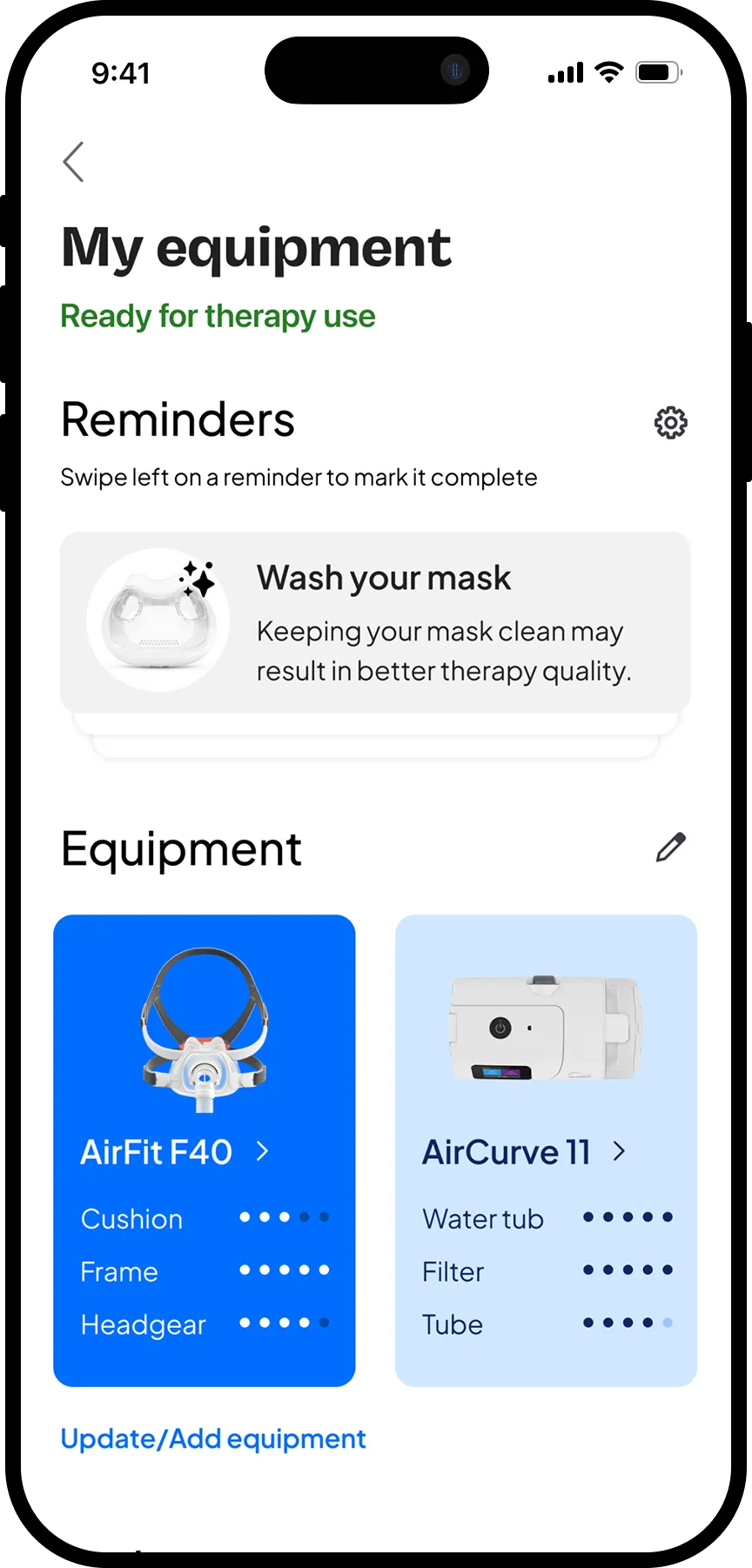
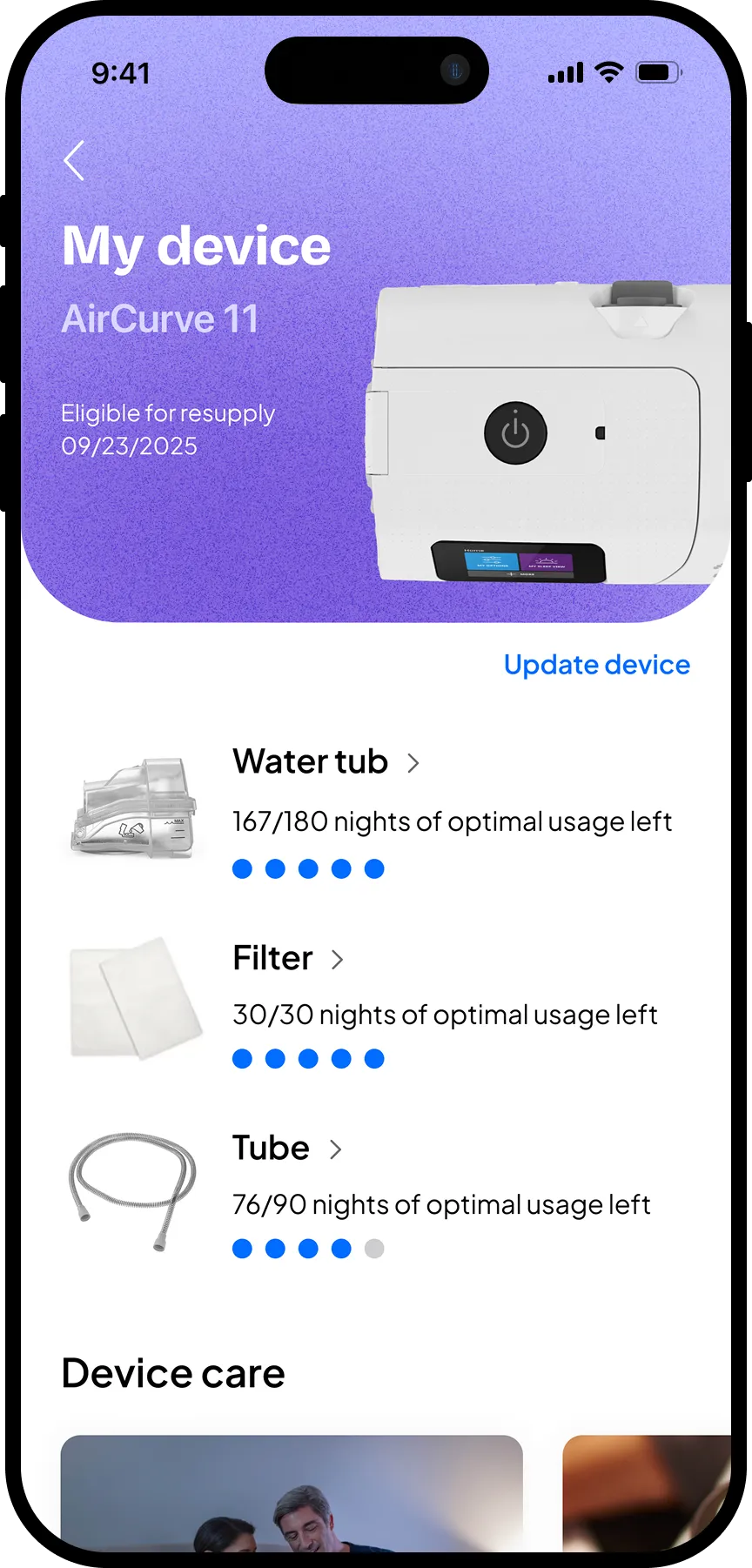
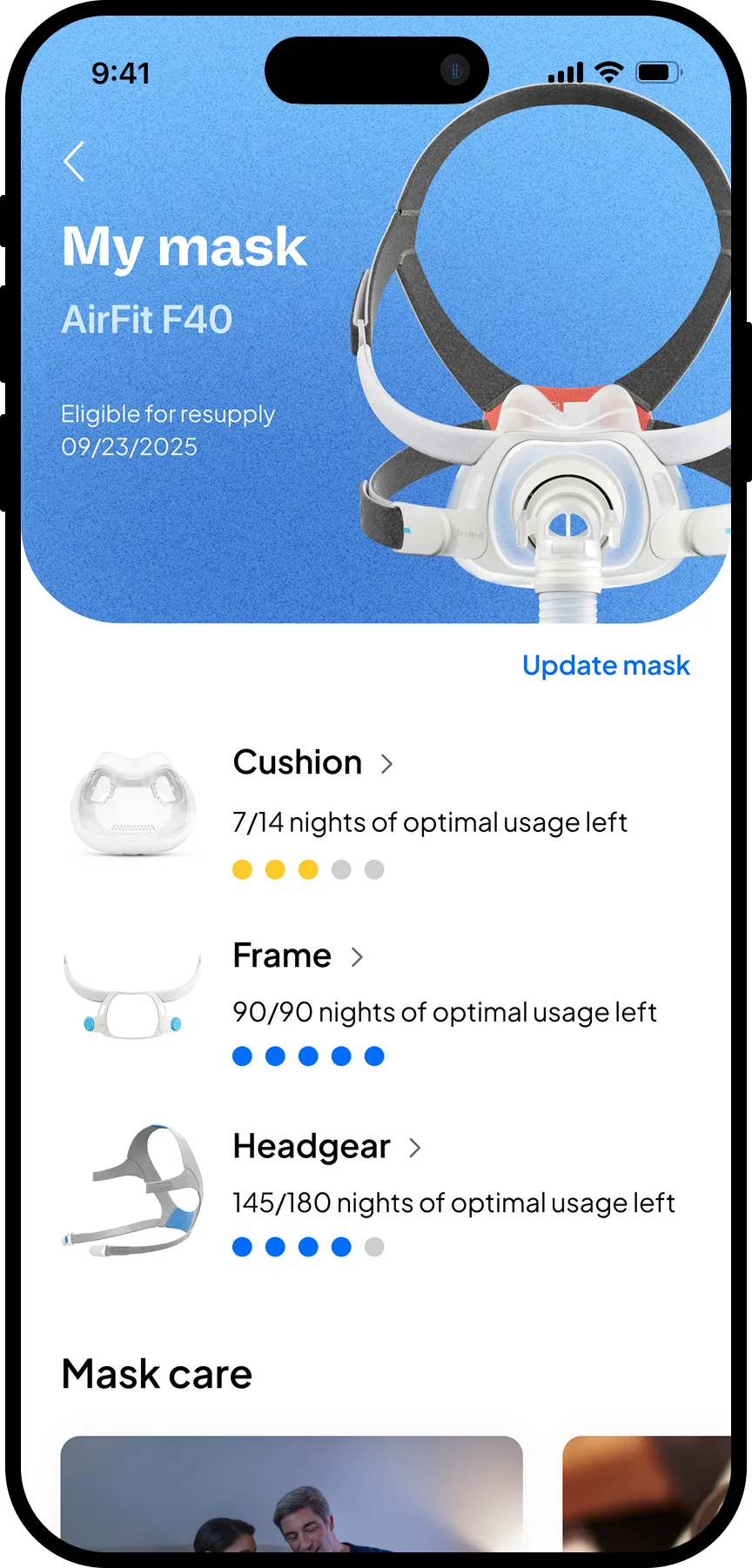
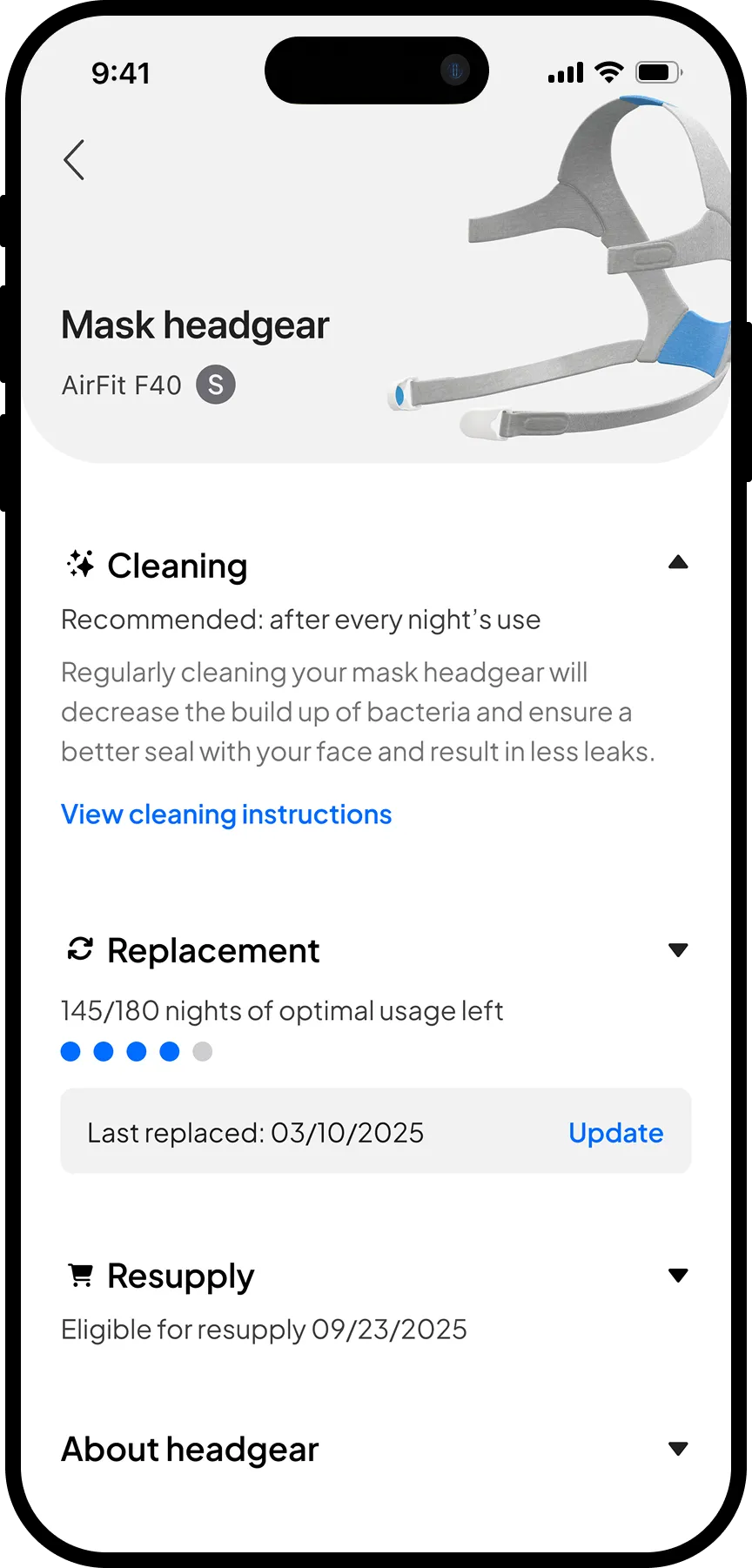
The four main pages of the feature we put in front of patients: Equipment main page, device, mask and component pages
Design Iterations: Four things users told us without saying them
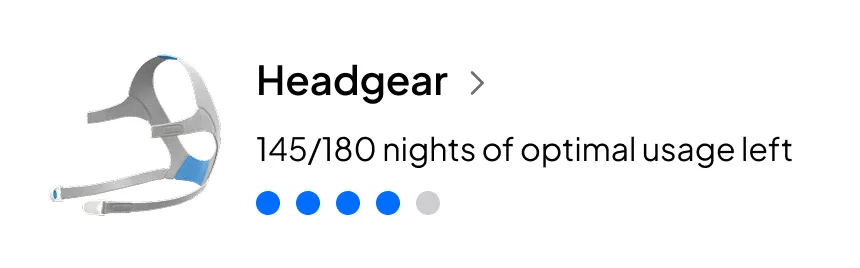
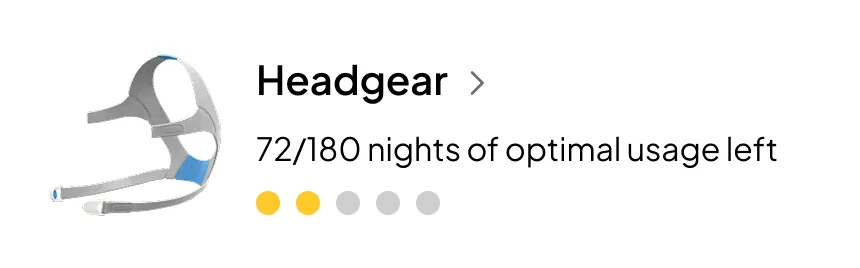
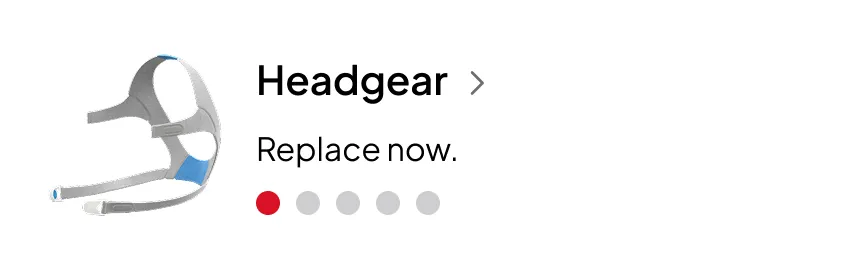
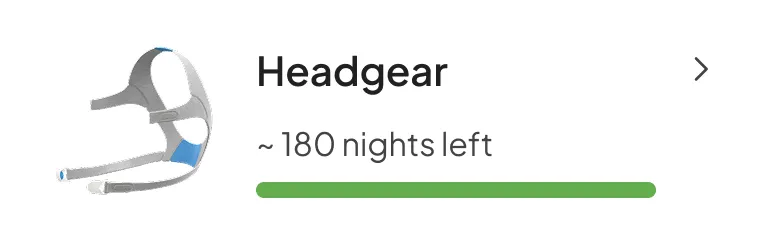
Four changes came directly from testing. The dotted wear indicator was replaced with a continuous countdown showing nights of use remaining — one participant summed up the problem: "I probably have to calculate the number of dots." The label was also clarified to only state the number of nights left, to prevent confusion.
Before
After
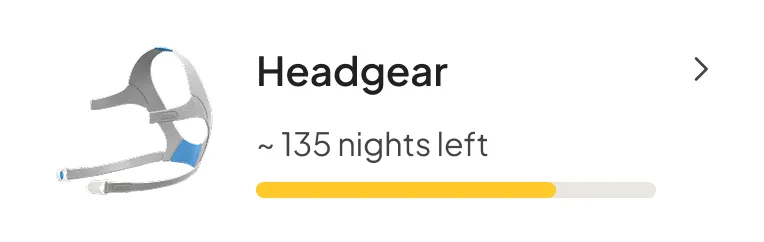
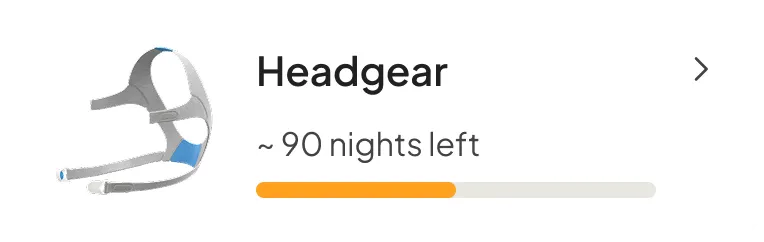
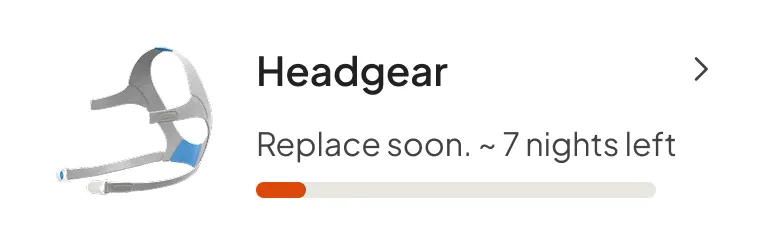
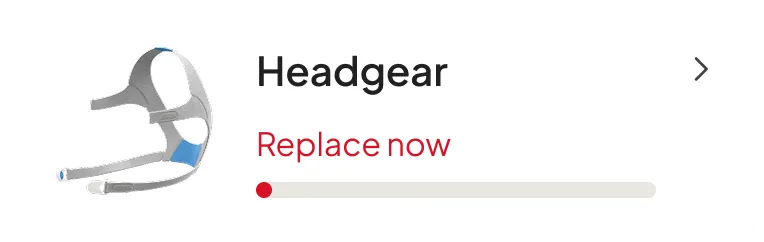
Component images were added to the replacement update screen after patients struggled to identify parts by name. And components due for replacement were surfaced more prominently so patients knew immediately which ones they had replaced and should update.
Before
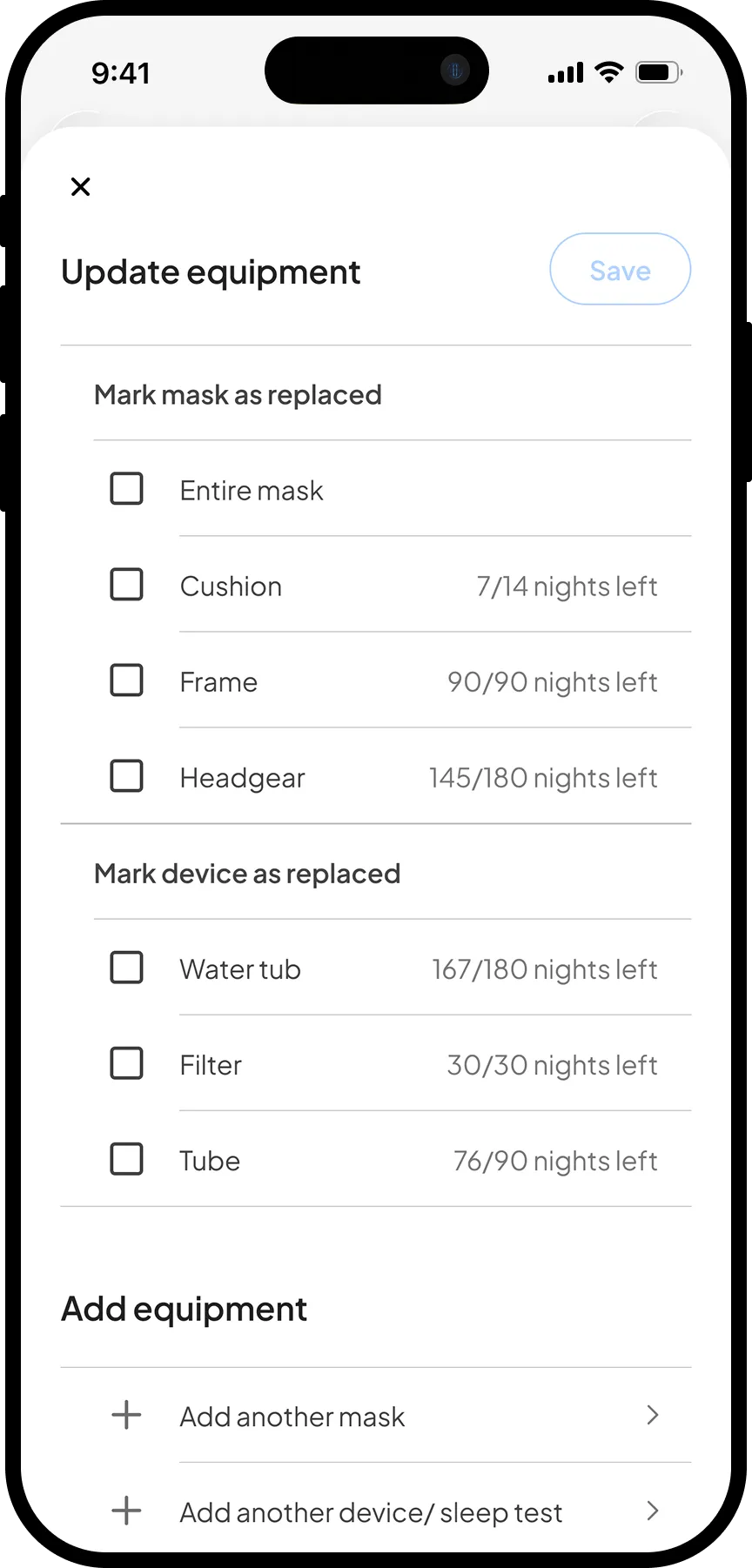
After
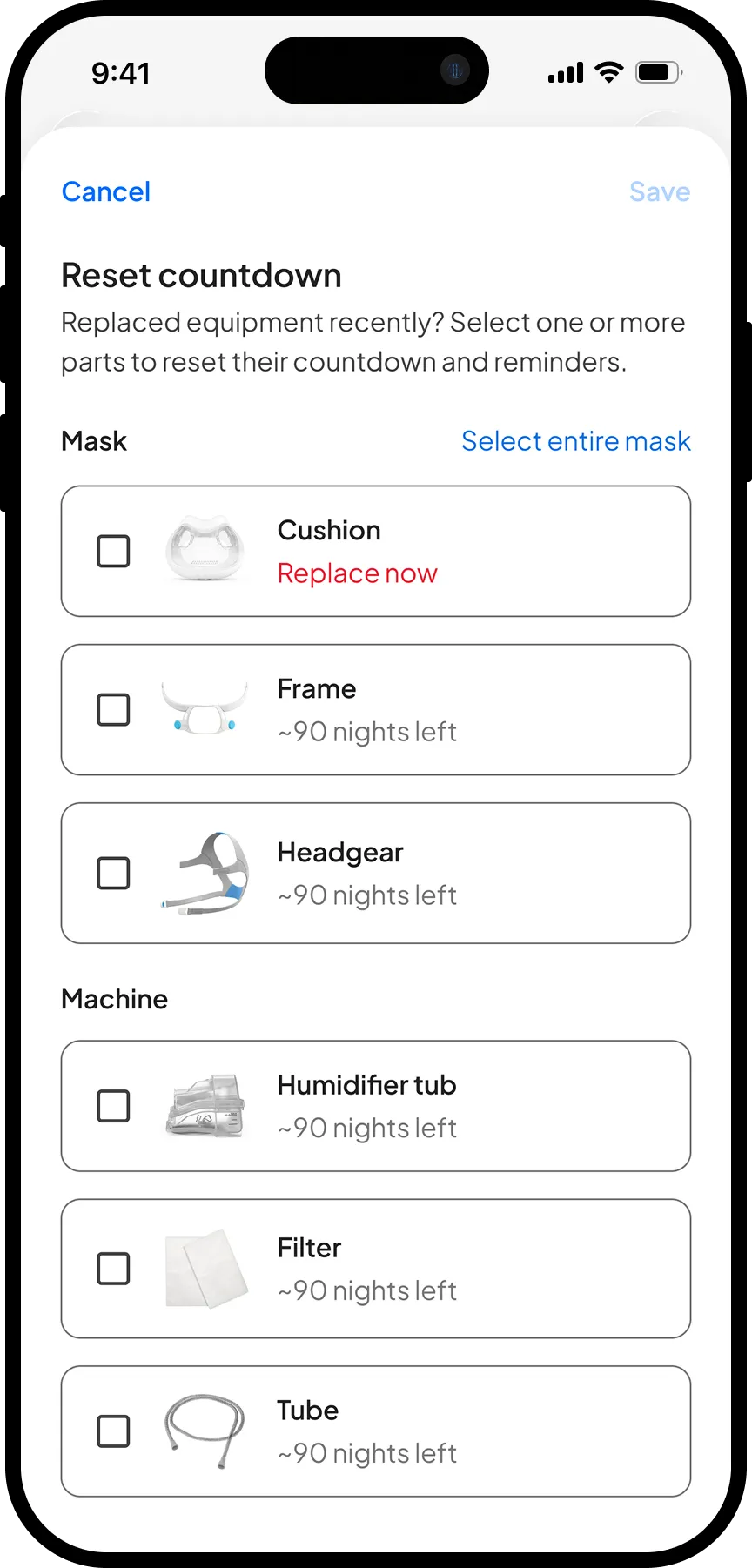
Testing also confirmed what we suspected: many existing users had developed manual workarounds like calendar reminders, or even writing the dates directly on equipment with a sharpie. This reaffirmed the genuine need and the gap the feature was filling.
Navigating Constraints: Keeping legal happy without cluttering the experience
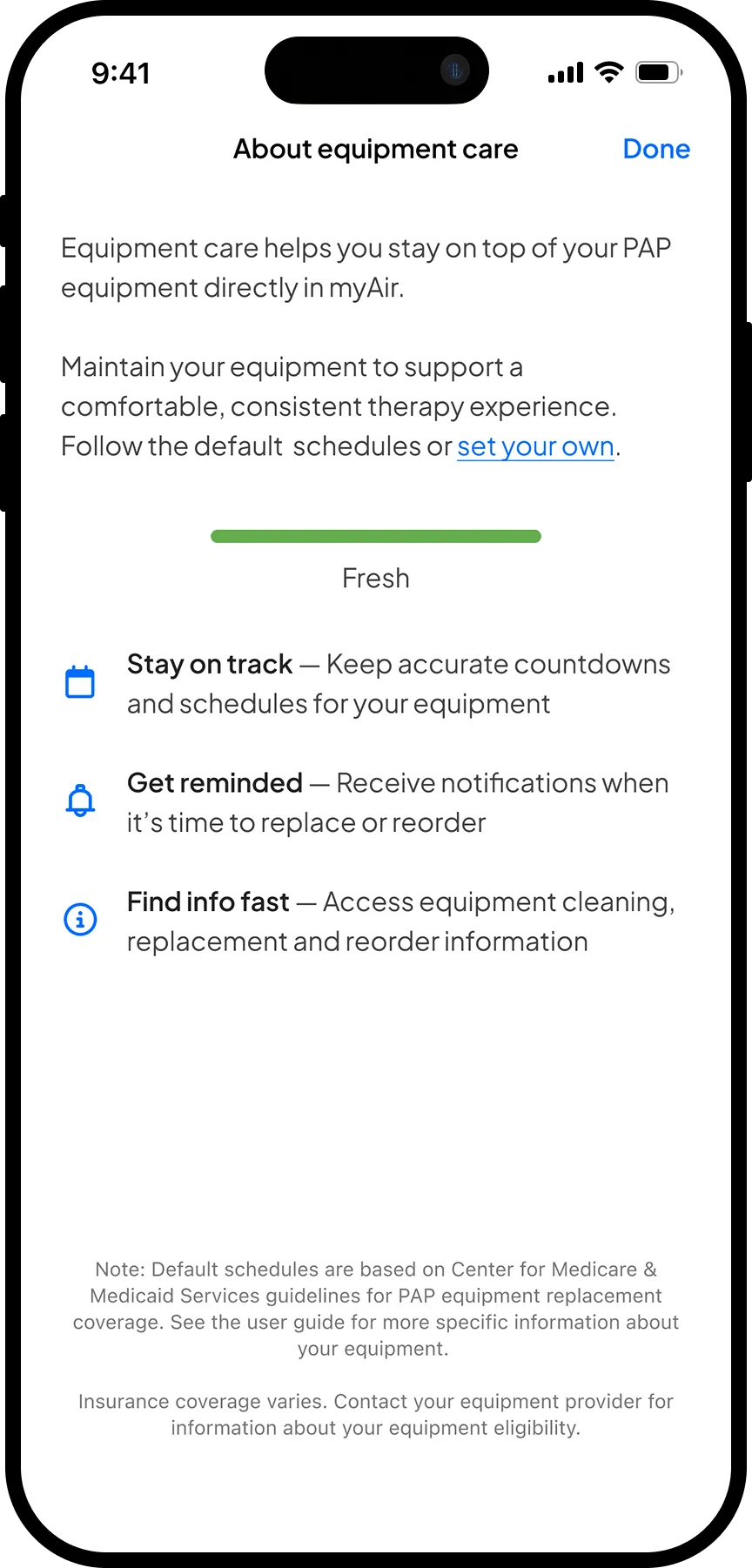
One of the more nuanced challenges was a legal requirement to include a disclaimer on every main page citing the Center for Medicare and Medicaid Services (CMS) as the source of default replacement schedules. Placing this prominently on every screen risked cluttering the experience and undermining the clean, trustworthy tone we had worked to establish.
I proposed an alternative: a dedicated about page surfaced via an information icon next to the Equipment Care label, where patients who wanted that context could find it without it interrupting the primary flow. Legal accepted the proposal, keeping the experience clean while remaining fully compliant.
Experiment Design: Two user groups, one feature, completely different problems
I worked closely with the PM to define the experiment setup. The experiment was launched as an A/B test in the US, where there are clear timelines for replacement and equipment resupply is reimbursed through insurance. This shaped both the language and the logic of the feature. A direct-to-consumer version would require a different approach, but that remained out of scope for this experiment.
We targeted two distinct cohorts: new and existing users, recognising they would behave very differently. New users had no existing habits to displace, while existing users would need to discover and adopt a feature they hadn't seen before.
New users were more straightforward: we could assume their equipment was brand new at account creation and begin the countdown automatically. Existing users were more complex — with no reliable replacement history on file, we asked them to manually input their last replacement date, or confirm they had never replaced a component, before the countdown could begin.
New user mask page
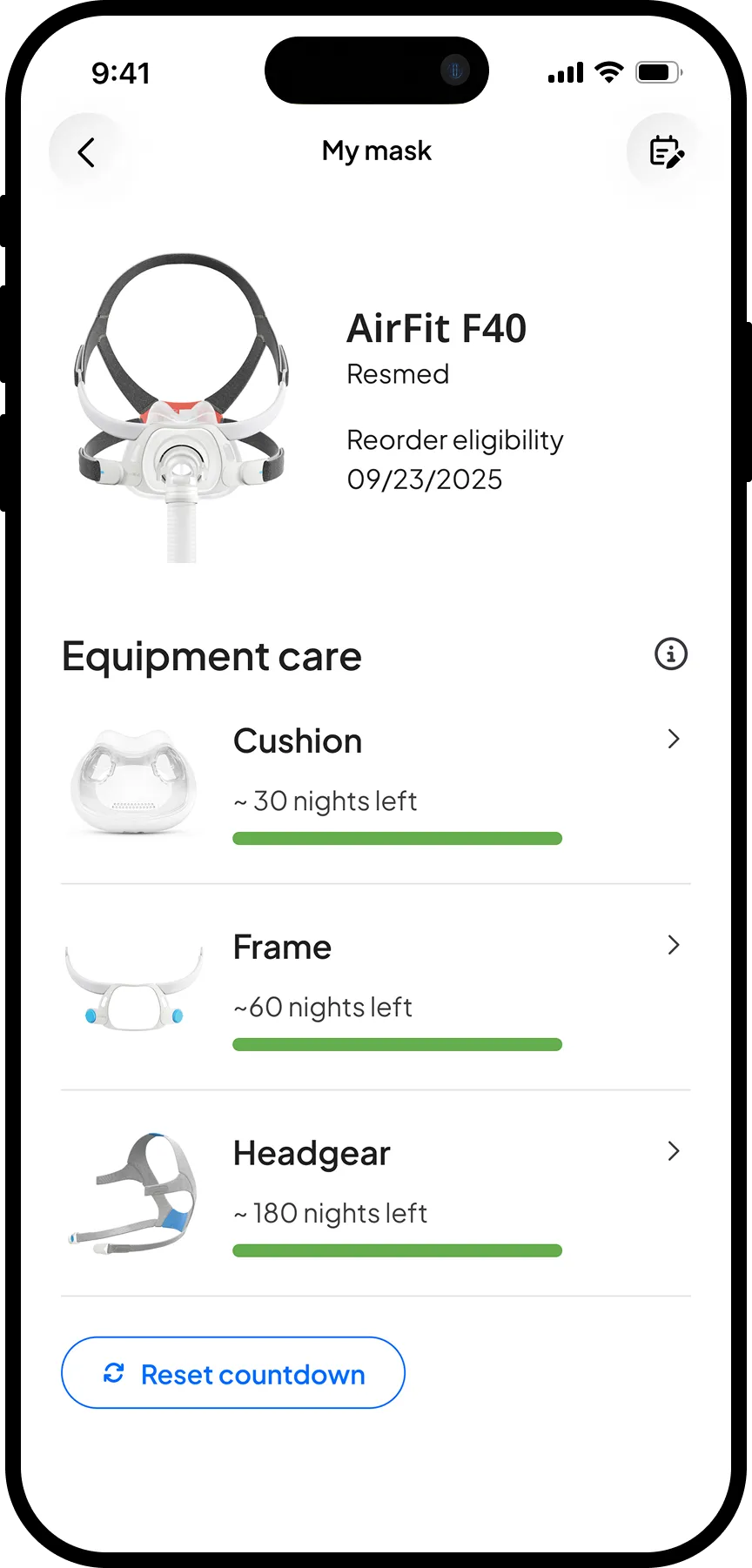
Returning user mask page
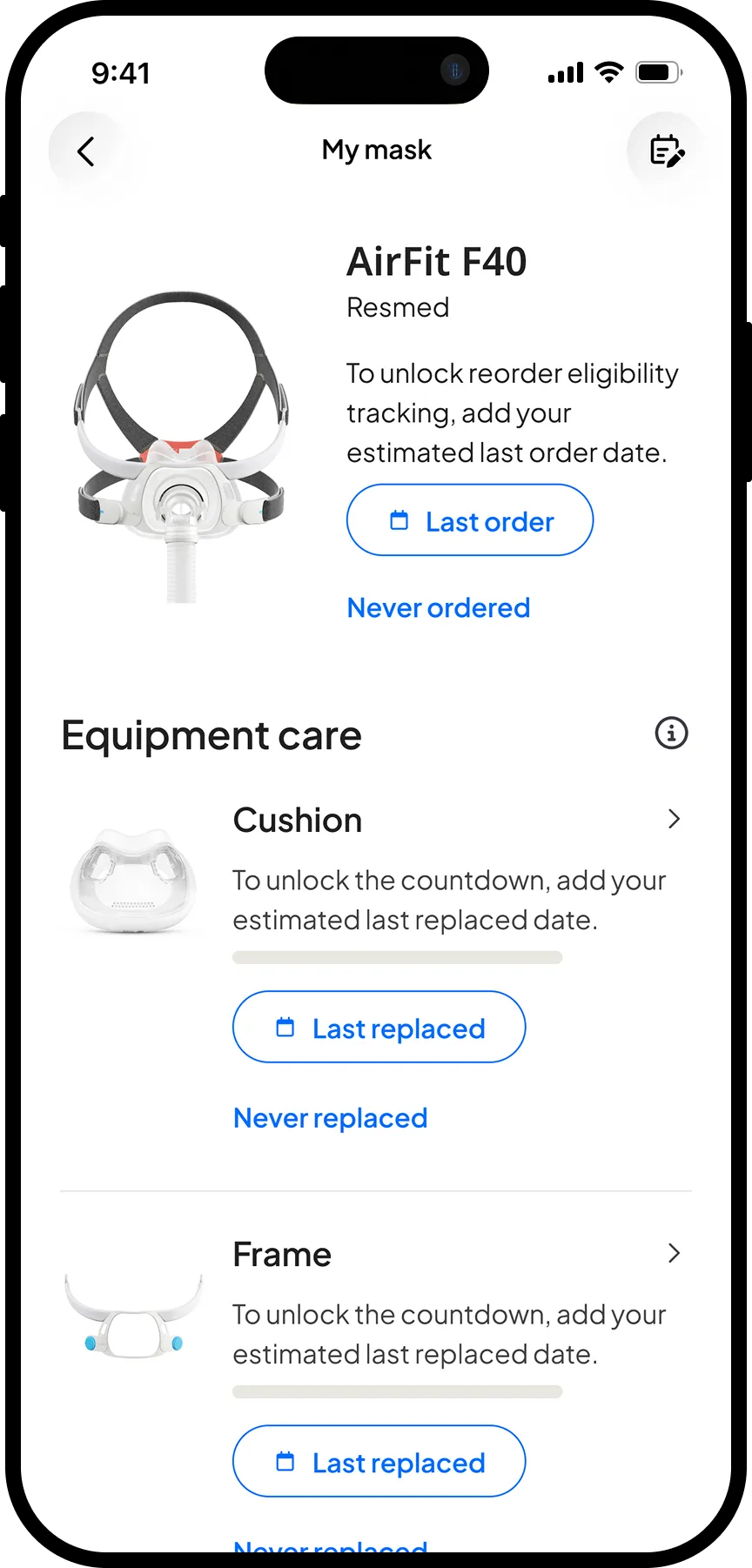
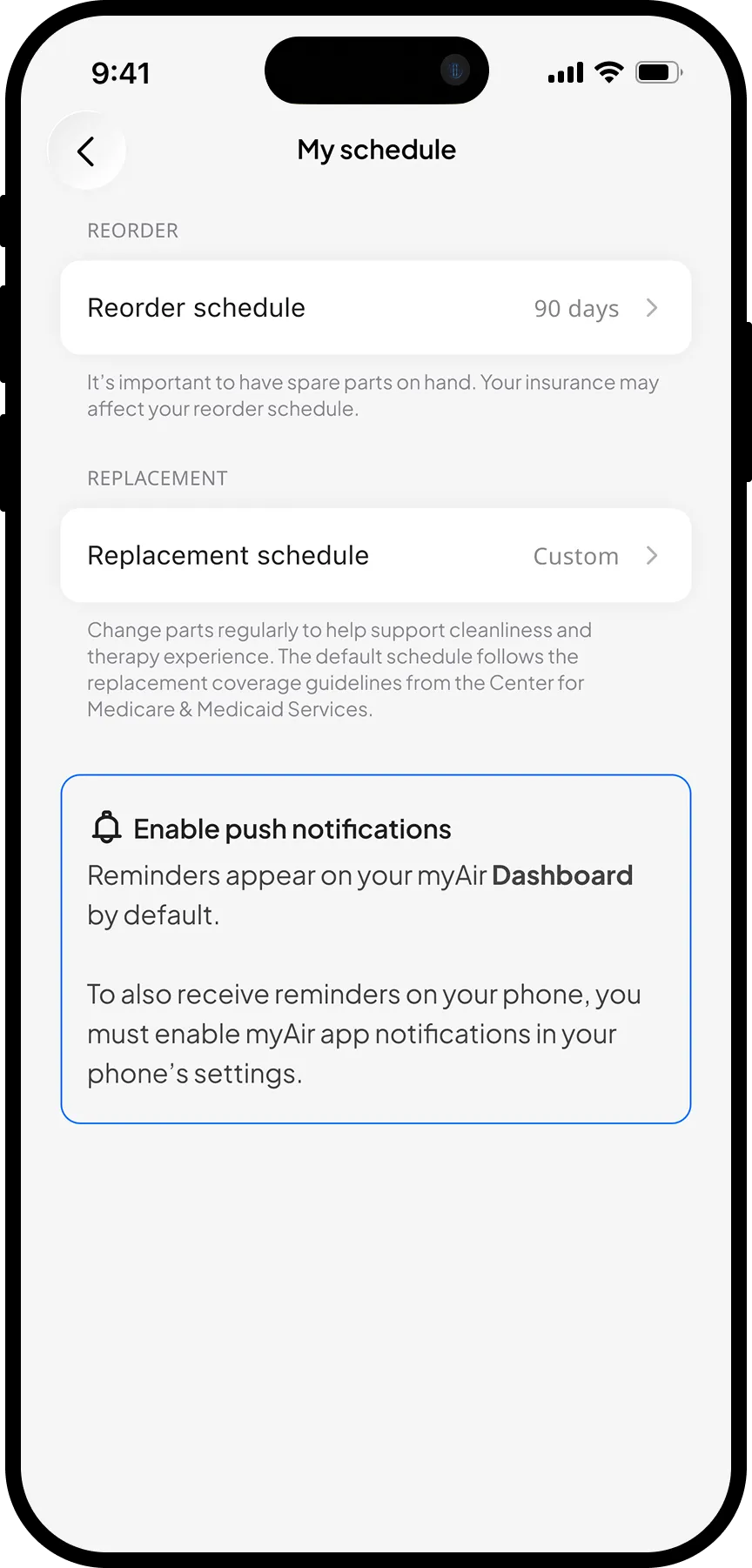
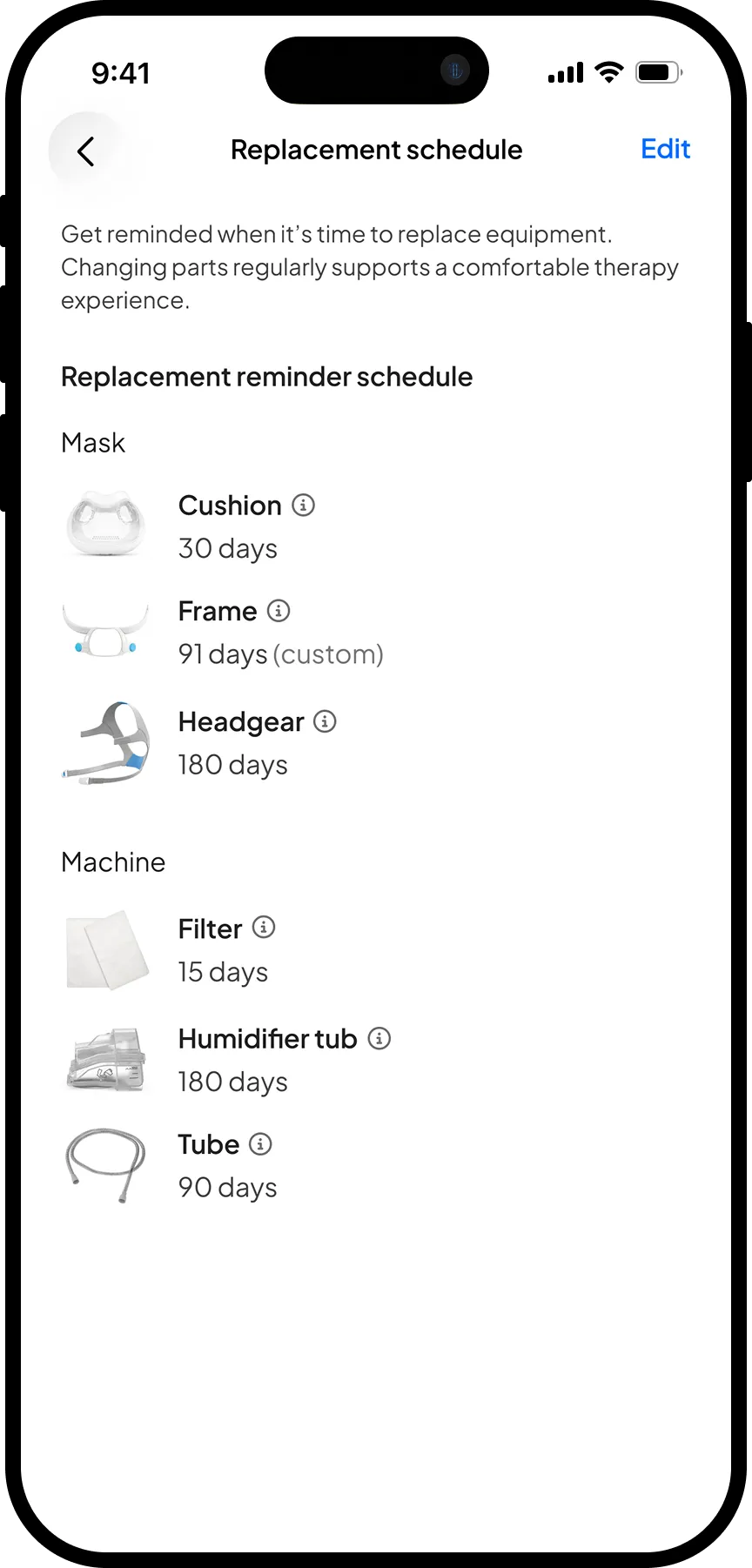
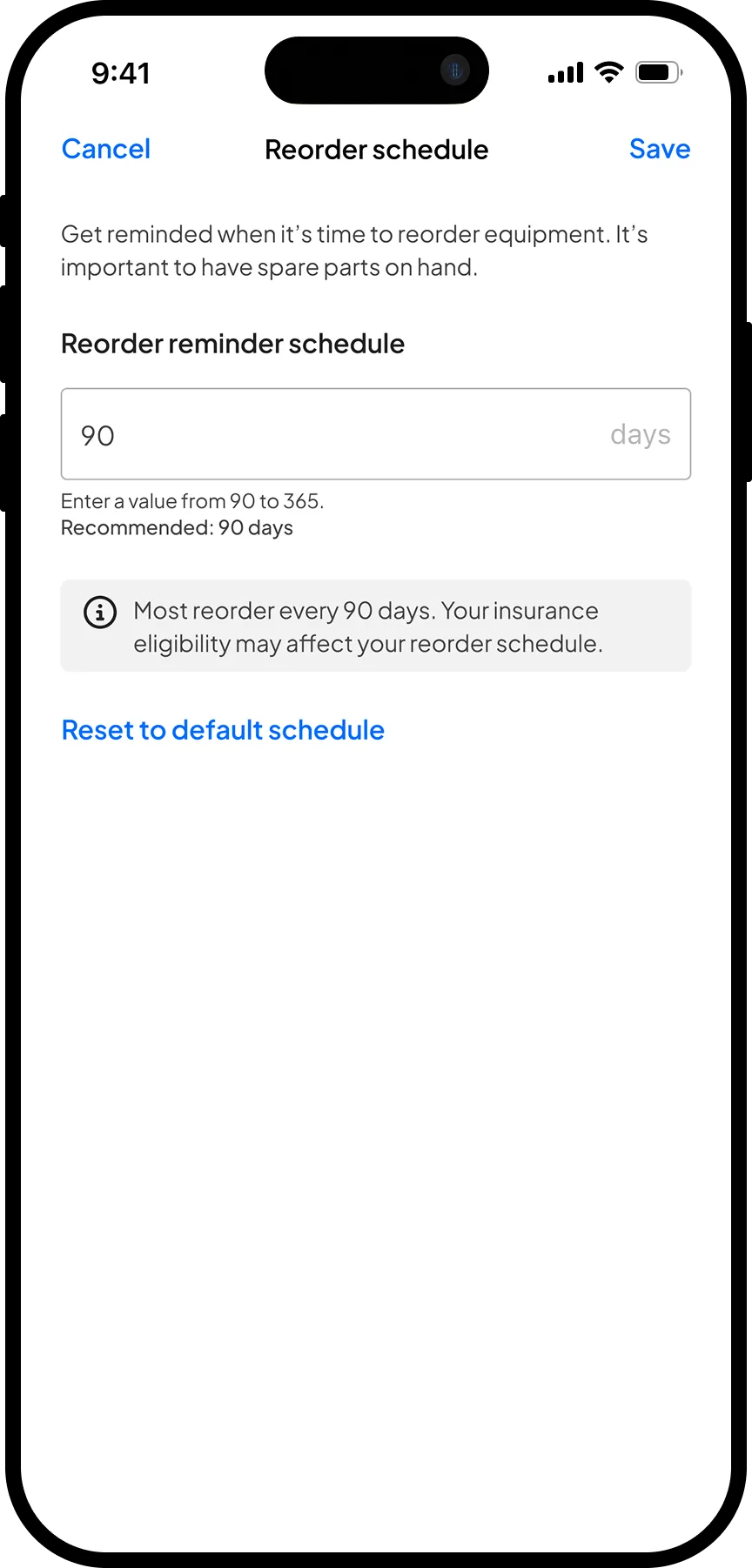
For reminders, we offered a default schedule aligned with CMS guidelines alongside a customisable option. Giving patients the ability to replace less frequently if they chose was a deliberate decision to build trust. It reinforced that the feature was built around patient needs, not engineered to maximise resupply orders.
Outcome: A projected increase of 30 million in annual revenue
Equipment Care launched to the experimental group in November 2025. After ten months:
>70%
of new users formed a habit
16%
increase in reorders per user
$30M
projected annual revenue impact*
Three months into the experiment, the Canadian sales team requested access to the feature — an organic signal of confidence from the field. We expanded the experiment to Canada in May 2026, where results held similarly across a slightly different market.
Qualitative feedback was equally encouraging. In follow-up interviews, 6 out of 6 participants noted how effortless the feature felt.
"I replace my equipment when the app tells me to."
— user interview participant
The fact that most users stuck with the default schedule also validated the core design assumption: patients don't want to spend time dealing with equipment, they want to be told what to do and forget about it the rest of the time.
*$30M projection based on measured reorder increase applied across app DAU and average revenue per user.
Post-launch iteration: Low adoption rates told us to rethink our assumptions
Existing user engagement remained the open challenge. Only 20% of the existing user cohort discovered the feature within the first 30 days. Rather than wait, we acted on this signal quickly — shipping a follow-up set of design changes to improve discoverability in January 2026, including badging the navigation tab and introducing a splash page on app open to surface the new feature to users who had missed it.

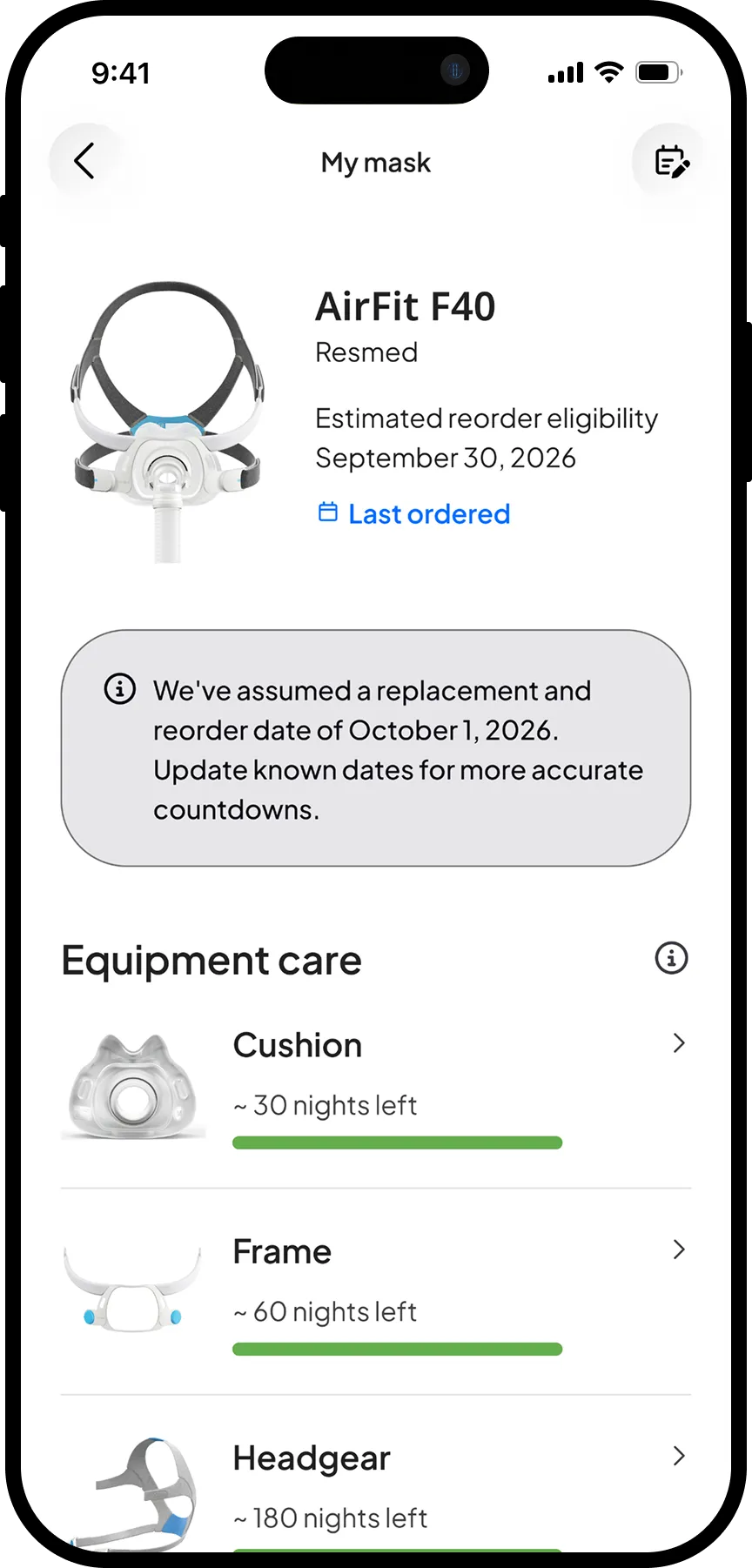
With a full US and Canada launch scheduled for October 2026, we made one further design change to address the existing user adoption problem at its root. The original flow gated the core value of the feature (the countdown indicators) behind a required input asking users when they last replaced their equipment. Many didn't have that information on hand, creating friction at the exact moment we needed to demonstrate value.
In the updated design, we removed the gate entirely. All equipment is now assumed to be new by default, with the option to add a last-replaced date for greater accuracy. The tradeoff is an initially less precise countdown — but our metrics showed that once users see the feature, they understand its value and engage with it. Establishing the long-term replacement habit matters more than perfect accuracy on day one.
Before
After
❊
What's Next
Equipment Care was myAir's first step supporting patients throughout their entire therapy journey, beyond the initial 90-day compliance period. The long-term vision is simple: equipment care should barely have to happen at all.
Now
Build the habit
Expand the reminder system globally, building on the confidence earned from the North America experiment.
Next
Seamless resupply
Integrate resupply workflows directly into the app, allowing patients to order replacement equipment in-app rather than calling their medical equipment provider. One-click purchasing and equipment subscriptions remove the last remaining point of friction.
Later
Invisible by design
The ultimate vision for equipment care is that patients rarely have to think about it at all. Personalised reminders based on usage patterns, location, and insurance eligibility reduce the cognitive load to near zero. Investment in lower-maintenance hardware pushes that further still.
Key Learnings
- Vision creates momentum
The storyboard produced from the vision workshop served as more than inspiration — it became the anchor for experiment prioritization and roadmapping. Having a concrete picture of the ideal patient journey gave the team a shared reference point.
- Trust is infused in everything
In a feature tied directly to commercial outcomes, every copy decision, notification, and configuration choice was an opportunity to either build or erode patient trust. Framing replacements around therapy value and giving patients control over their own schedule was what built enough trust to make the feature work.
- Building and breaking habits are different design problems
New users adopted the feature naturally, experiencing it before any habits had formed. Existing users had already established their own workarounds — reaching them required actively interrupting established patterns and catching their attention in a new way.